
Redirect, Modify & Mock HTTP Requests
Redirect URLs, inject headers and mock APIs right in the browser
Point production endpoints to localhost, add auth headers or simulate 401 and 503 responses without editing your codebase or running a local proxy server.
http://localhost:3000/v1/users+ Auth header · CORShttps://api.acme.dev/v1/usersEvery tool, at a glance
Redirect traffic, rewrite headers, mock responses and switch environments from one clean interface.
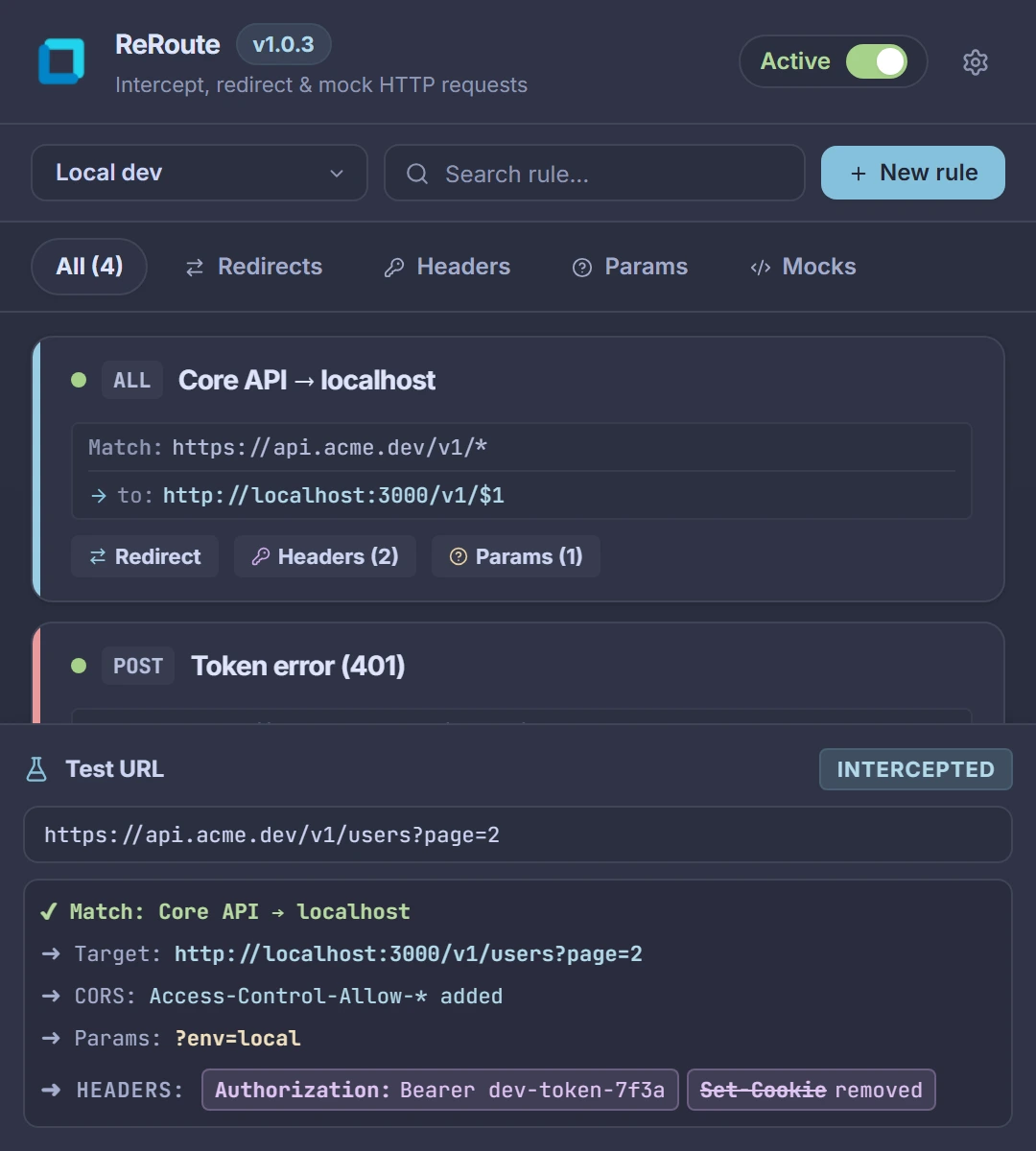
Redirects & tester
Route production APIs to localhost with wildcards
Match any request using * wildcards with $1, $2 capture groups and turn on one-click CORS headers for local APIs. Paste any URL into the built-in tester to verify which rules match before reloading your tab.
- Wildcard $1, $2 capture groups
- One-click CORS bypass
- Live URL rule tester
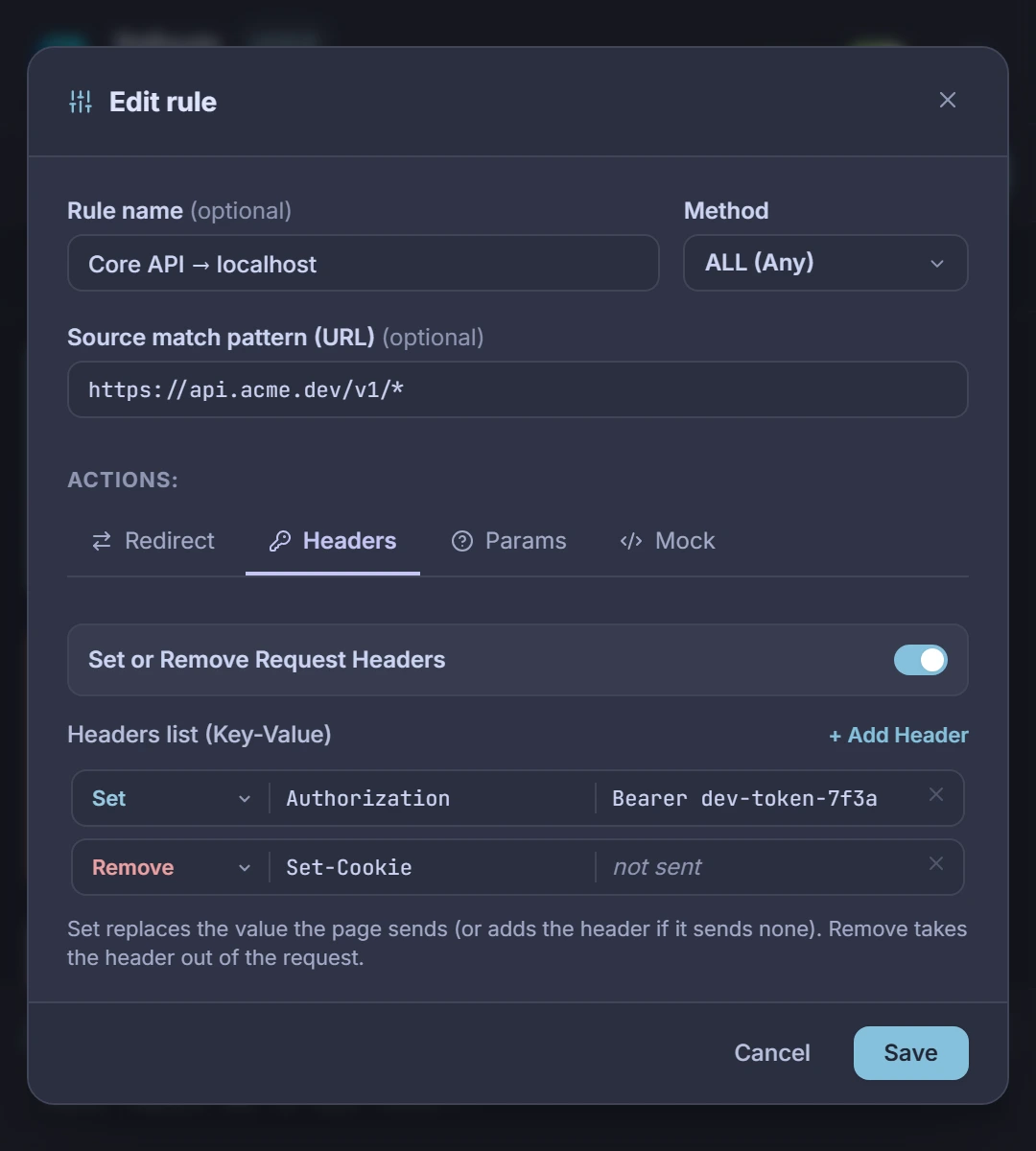
Headers & params
Inject auth tokens or strip headers on the fly
Set, override or remove request headers and append or replace query parameters per rule. Test feature flags, Bearer tokens or debug flags against staging and production without rebuilding your app.
- Set or remove headers
- Append or replace params
- Filter by HTTP method
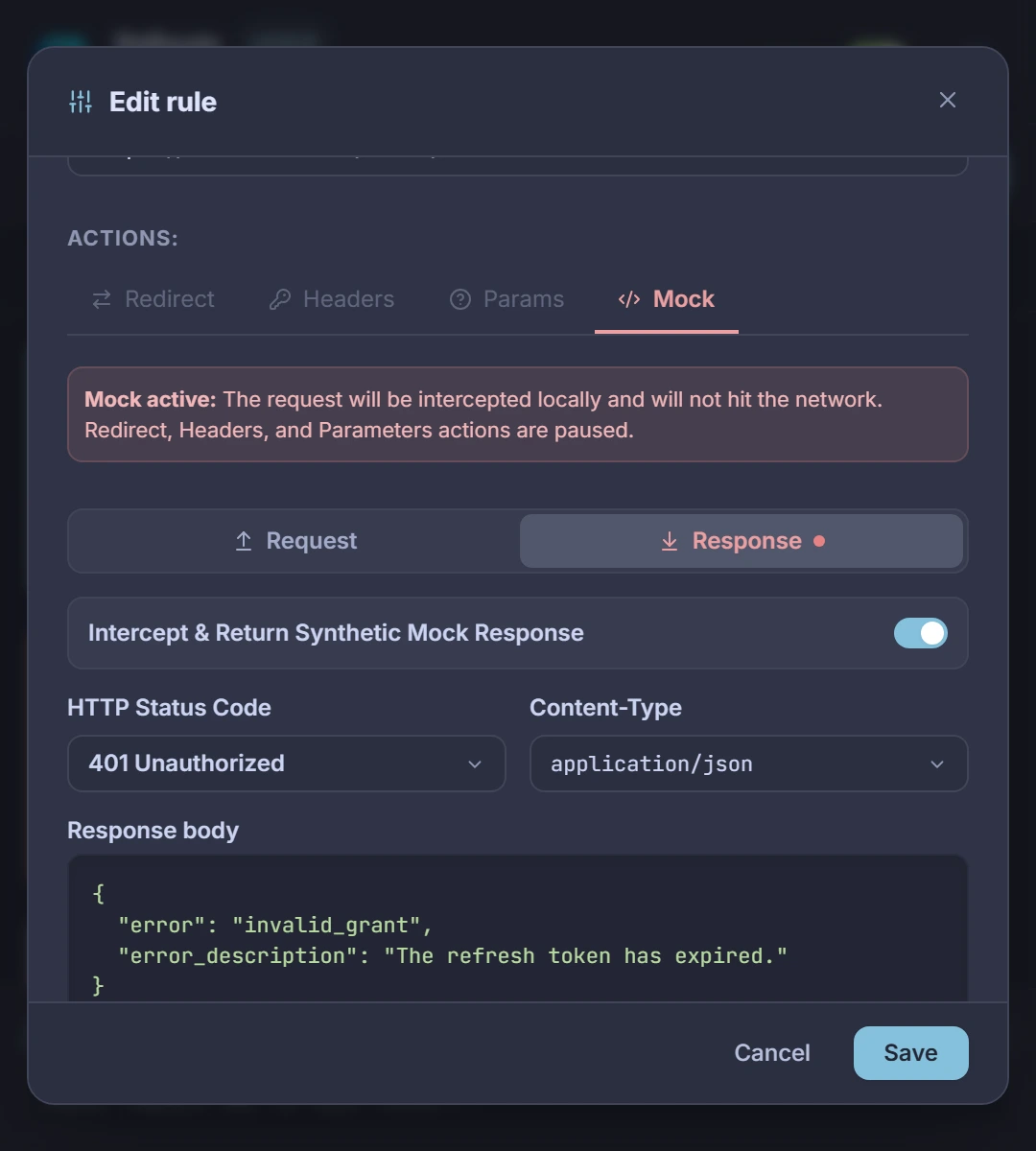
Mock responses
Simulate 401, 404 or 503 responses without a backend
Override the outgoing request body or return a synthetic HTTP status code with custom JSON, HTML or plain text straight from the browser. Reproduce expired tokens, rate limits and server outages in seconds.
- Status codes 200 to 599
- JSON, HTML or text bodies
- Request & response mocks
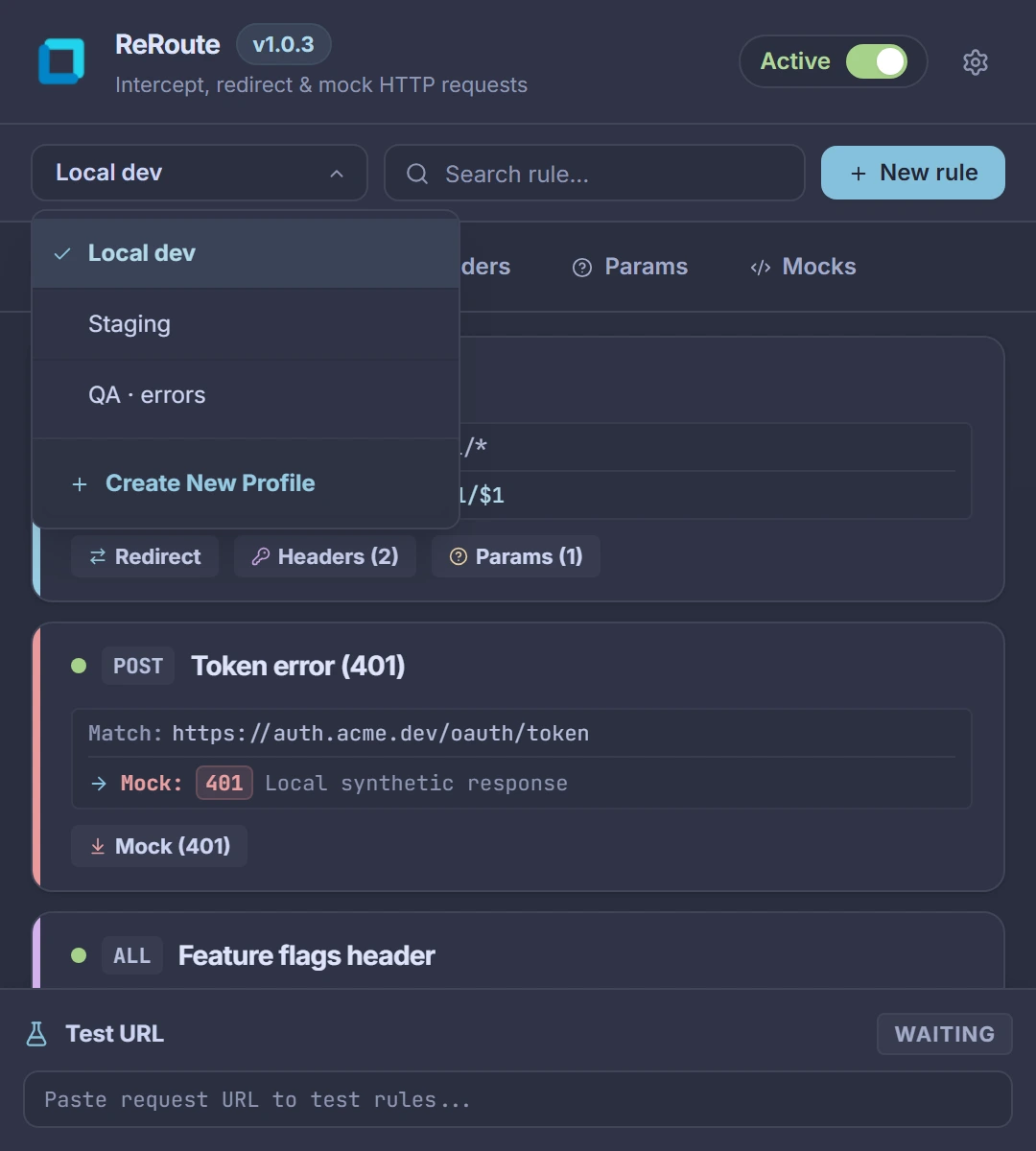
Environment profiles
Switch between Local, Staging and QA in one click
Group your rules into isolated profiles per project or environment. Switch active profiles from the header, pause everything with Alt+Shift+P or back up your setup as JSON for your teammates.
- Isolated rule profiles
- Alt+Shift+P toggle
- JSON import & export
Built for everyday API debugging
Thoughtful details that replace heavyweight system proxies in daily frontend work.
Native Manifest V3 speed
Powered by the browser’s native declarativeNetRequest engine so URL redirects, header overrides and query parameter rules run natively without routing traffic through external processes.
Live URL rule tester
Paste any request URL into the bottom panel to inspect which rule matches first, preview the rewritten target URL and headers, and catch conflicting patterns immediately.
Popup or browser side panel
Open ReRoute as a quick toolbar popup or pin it to the browser’s side panel alongside DevTools while inspecting network calls and iterating on rules.
100% local and private
Every rule, auth header, mock body and profile stays in chrome.storage.local on your machine. No accounts, no telemetry and no external servers.
Intercept HTTP requests without leaving your browser
Free and 100% local. Installs in seconds with zero setup.
More from the Re Suite
Other free, ad-free extensions with the same interface.