Save & Restore your Tabs
Save open tabs in one click, restore them anywhere
Clear a crowded browser window into a clean list, undo any slip in one click, and reopen tabs individually or all at once across your devices.
12 tabs·titles & faviconsChrome SyncEvery control, at a glance
Review saved tabs, revert deletions, switch to a slim view and keep URLs clean from one popup.
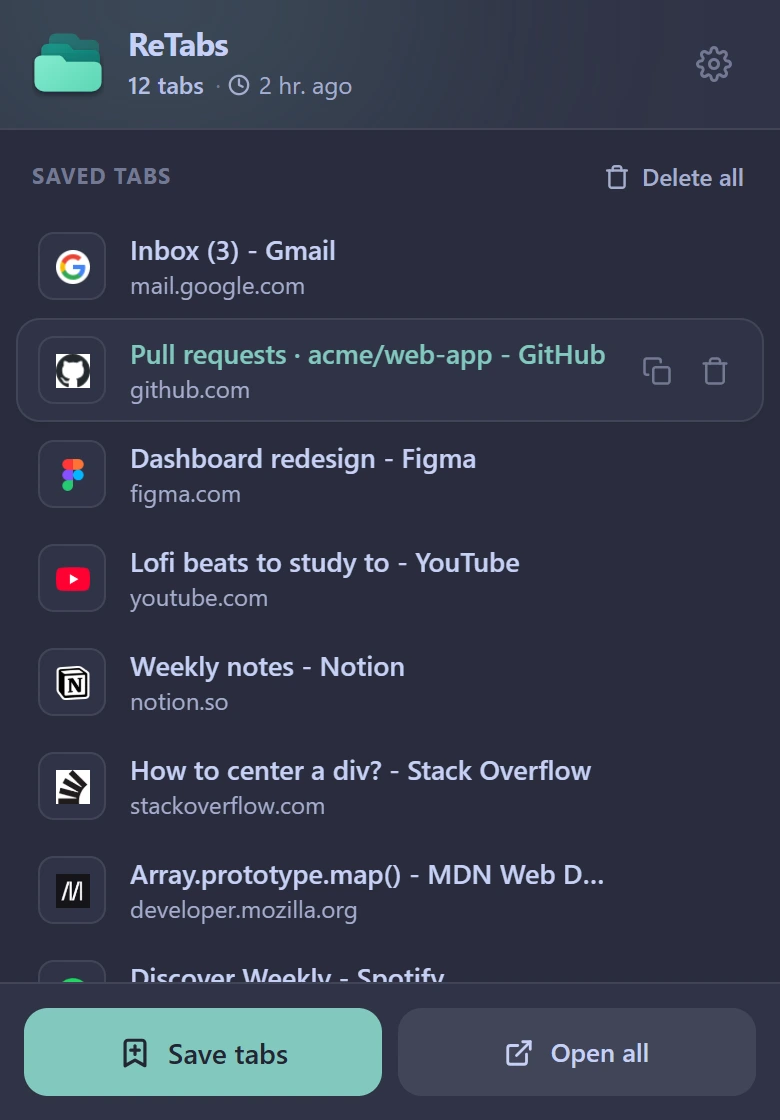
Saved list & actions
Open tabs one by one, copy links or restore all without duplicates
Inspect every saved page with its favicon, title, domain and relative timestamp. Click any row to open that tab right away, hover to copy its link or delete it, or click Open all to restore only tabs that are not already open.
- Click row to reopen
- Hover to copy or delete
- Skips already open tabs
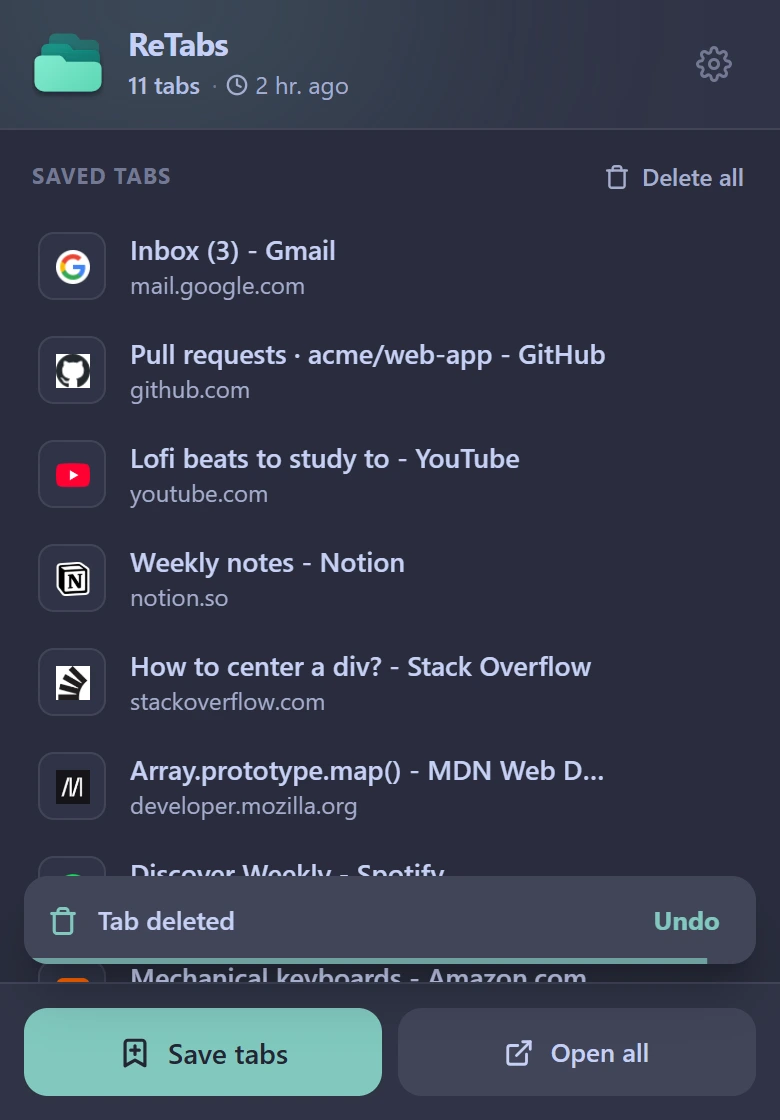
Reversible undo
Recover deleted tabs or overwritten lists in one click
Deleting a single tab, clearing your list or saving a new window over an old snapshot shows a timed Undo toast. Restore your previous tab list in one click before the countdown ends.
- Single-tab undo
- Clear-all recovery
- Overwrite safeguard
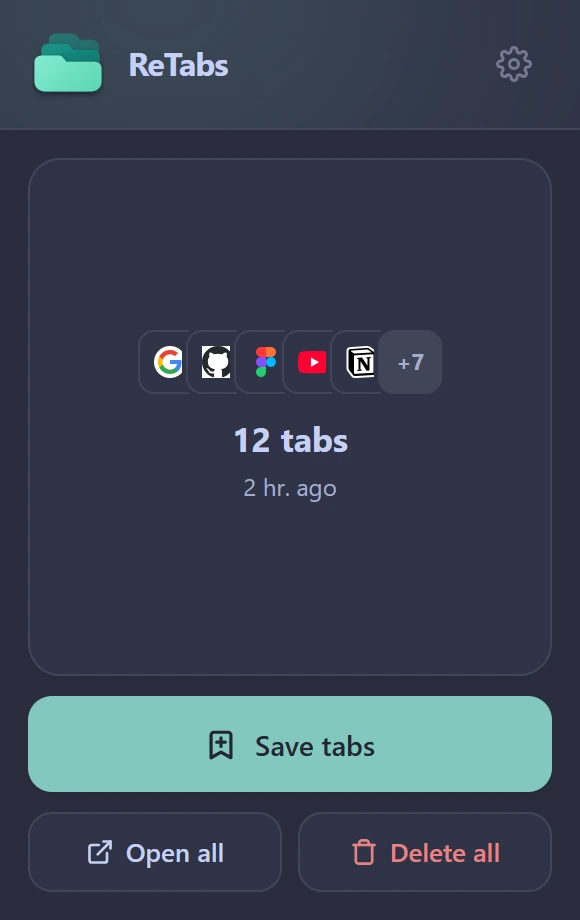
Compact layout
Switch between Extended cards and a 290 px Simple view
Stay in Extended mode when browsing titles and domains, or toggle Simple mode for a slim 290 px popup designed for fast saves and restores on smaller screens.
- Extended & Simple modes
- 290 px compact width
- Instant layout switch
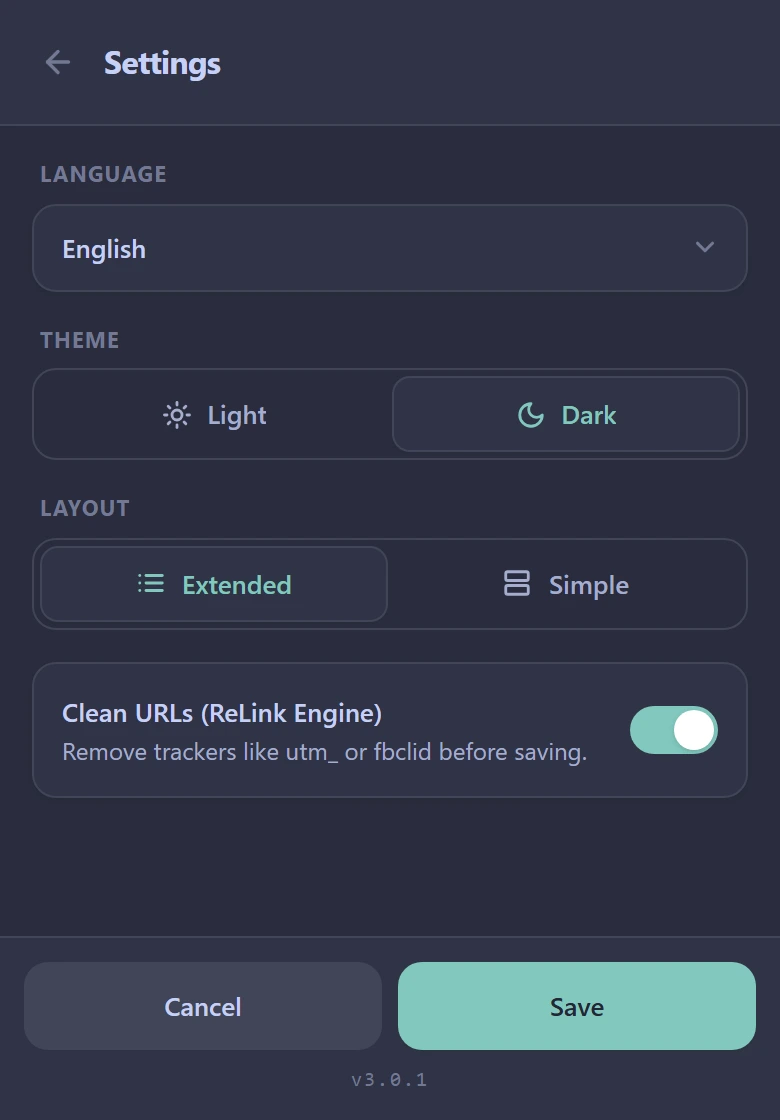
Clean URLs & sync
Strip tracking parameters on save and sync across devices
Enable the built-in ReLink Engine to strip utm_*, fbclid and gclid parameters before saving links. Choose Dark or Light mode across four languages with automatic Chrome Sync.
- ReLink URL cleanup
- 4 languages · Dark & Light
- Chrome account sync
Built for clutter-free browsing
Practical details that keep heavy research sessions organized without extra accounts or overhead.
Automatic Chrome account sync
ReTabs stores your snapshot in chrome.storage.sync so tabs saved at your desk appear on your laptop automatically through your browser account.
Duplicate-aware bulk restore
Open all checks the URLs already open in your active window and launches only missing tabs, keeping your tab bar tidy instead of doubling pages.
Reversible Undo by default
Removing an item, clearing all tabs or overwriting a saved list retains the previous state in memory behind a timed Undo toast so accidents take one click to fix.
100% local to your browser
Tab lists are read only when you click Save tabs and never touch third-party servers. URL cleaning runs offline inside your browser using bundled rules.
Reclaim your browser window in one click
Free on the Chrome Web Store, synced through your Chrome account.
More from the Re Suite
Other free, ad-free extensions with the same interface.